Developers frequently rely on multiple GenAI-powered applications to handle various use cases, with each application comprising several components that utilize LLMs for different tasks. Obiguard is built to seamlessly protect and operate across every part of your application that leverages GenAI for your agentic systems.
We use the concept of a project to define, configure, monitor, and analyze the security and threat profiles of each AI-driven application and its components.A project represents a collection of Obiguard guardrail policies that you can oversee for performance and manage through a unified defense policy configuration.Your projects can represent various applications, environments, individual components of an app, or any combination of these.Projects enable you to:
Customize and fine-tune defenses for each use case by linking them to specific policies.
Monitor external, customer-facing GenAI applications separately from internal GenAI tools
Compare performance across development and production environments
Pinpoint exactly which part of your application is being targeted or exploited
For instance, you could create a project for your production customer support chatbot and another for your internal employee knowledge base Q&A tool.
Alternatively, you might set up separate projects for the test and production environments of each application to monitor and compare them independently.
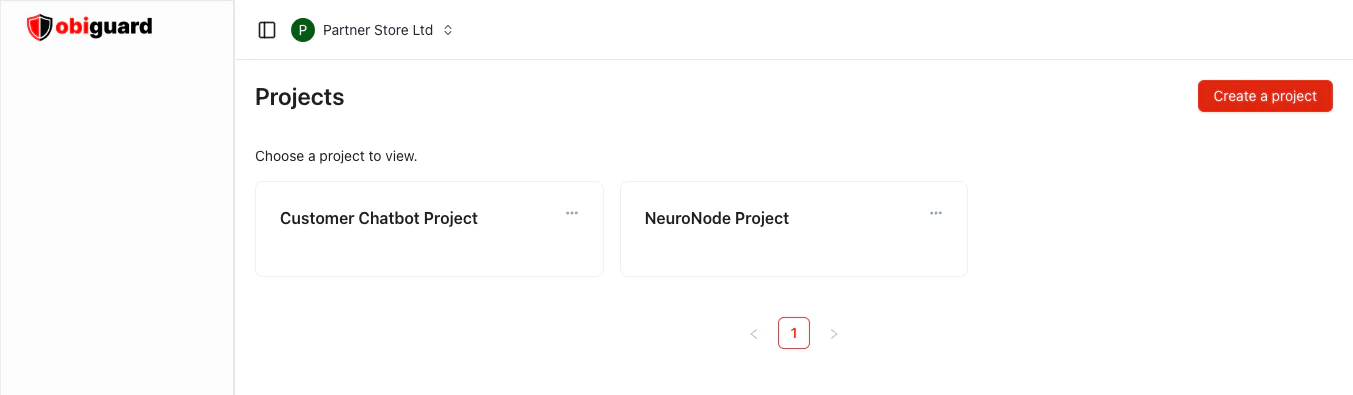
Customers can manage their projects within the Obiguard app platform user interface. The Projects page allows you to
create new projects and lists each of your existing projects along with its details.Each project is given a unique ID and contains a set of resources, including API and virtual keys, guardrail policies, and trace data.If your application needs to apply different policies based on specific scenarios, you’ll need to create multiple projects to support that setup.Each project may contain multiple policy groups, which defines the defense configuration that Obiguard will use when running screening requests for that project.If you wish for your application to use different policies depending on the situation then you will need to create multiple policy groups, one for each situattion,
with the relevant policies for grouping. Then generate an API key for each policy group to use in your application.
When you first sign up for Obiguard, you will be prompted to create an organization and a project. This is a one-time setup process that allows you to start using Obiguard immediately.You can create additional projects at any time through the Projects page in the Obiguard app platform user interface.You can create additional organizations, and during this time you will be prompted to create a project for that organization as well.The only required field is the project name. The project name must be unique within your organization.You can optionally add a project description to the project, which can be helpful for other users to understand the
purpose of the project.Next, create a guardrail policy for the project from the sidebar. A guardrail policy defines the rules and
configurations that Obiguard will use to protect your application.
Click on the three dots next to the project’s name to access options for viewing details, editing, or deleting it.
When you select Edit, a popup will appear where you can modify the project’s name and description, then save your changes.
Admins can delete a project by clicking on the three dots next to the project’s name and selecting the delete option.
Confirm the deletion in the popup that appears.Deleting projects is permanent and cannot be undone. Once a project is deleted, its historic requests will no longer
be linked to any project, meaning they will lose access to the deleted project’s logs and guardrail policies.
Additionally, all policies and API keys associated with the project will be removed.
Requests using these API keys will no longer be protected by the project’s guardrail policies, and will experience errors.